Minutes from your device's numbers
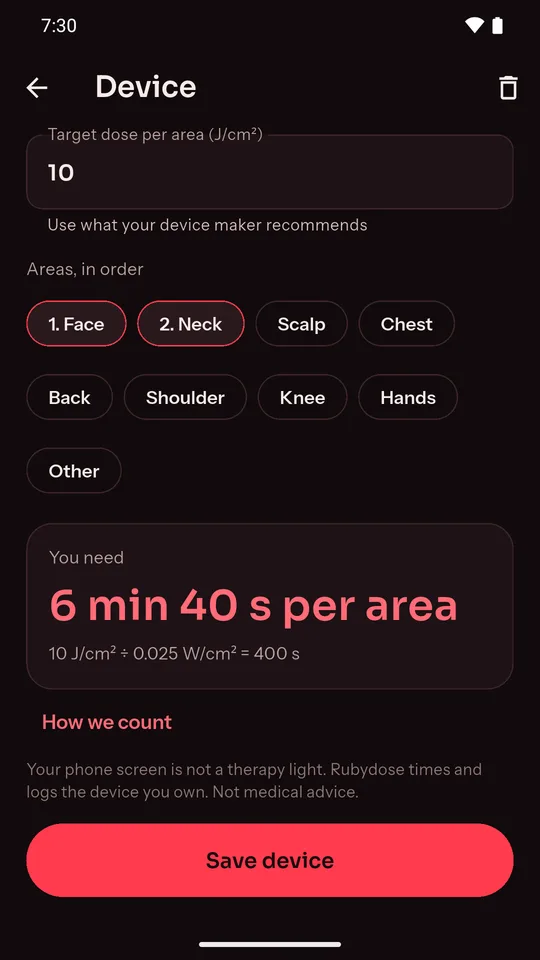
Enter the irradiance your maker quotes and the dose you're aiming for. Rubydose shows the minutes per area and writes the sum out, so you can check it.
100 mW/cm² at a 10 J/cm² target: 1 min 40 s per area.
 Rubydose
A free timer and log for the LED mask or red light panel you already own. Enter its numbers, close your eyes, and let a chime tell you when to move.
Free on Android · No account · Works offline
"I don't know if 10 minutes is enough or too much." The manual quotes mW/cm² and J/cm², and the device just counts minutes.
"The app timer reset when I locked my phone." A session that stops halfway is no help with your eyes closed.
"I lose track of which days I did my face and which my knee." Without a log it is easy to skip a week, or overdo one area.
Enter the irradiance your maker quotes and the dose you're aiming for. Rubydose shows the minutes per area and writes the sum out, so you can check it.
100 mW/cm² at a 10 J/cm² target: 1 min 40 s per area.
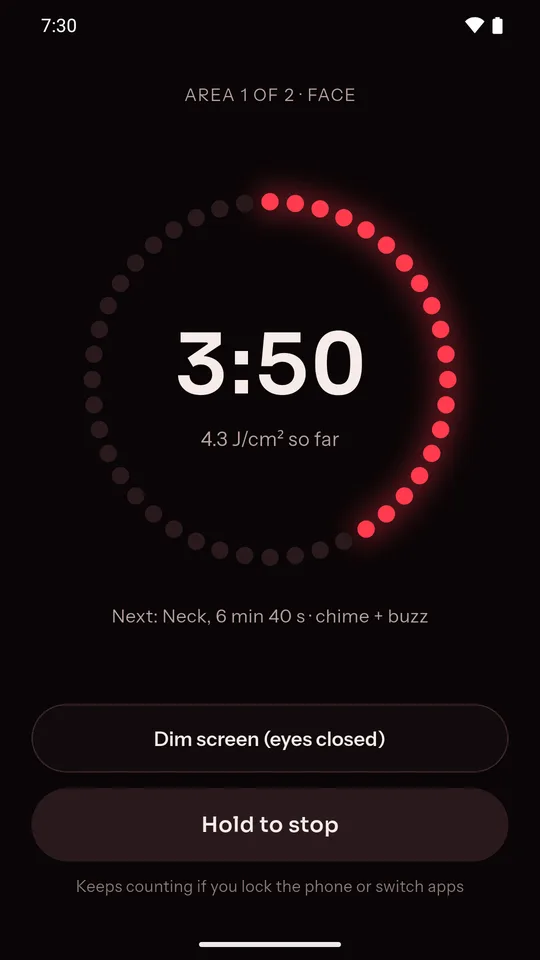
Pick your areas in order, start, and close your eyes. A chime and a buzz mark each change of area, and dim mode turns the screen nearly black.
The countdown keeps the right time if you lock the phone or the app closes.
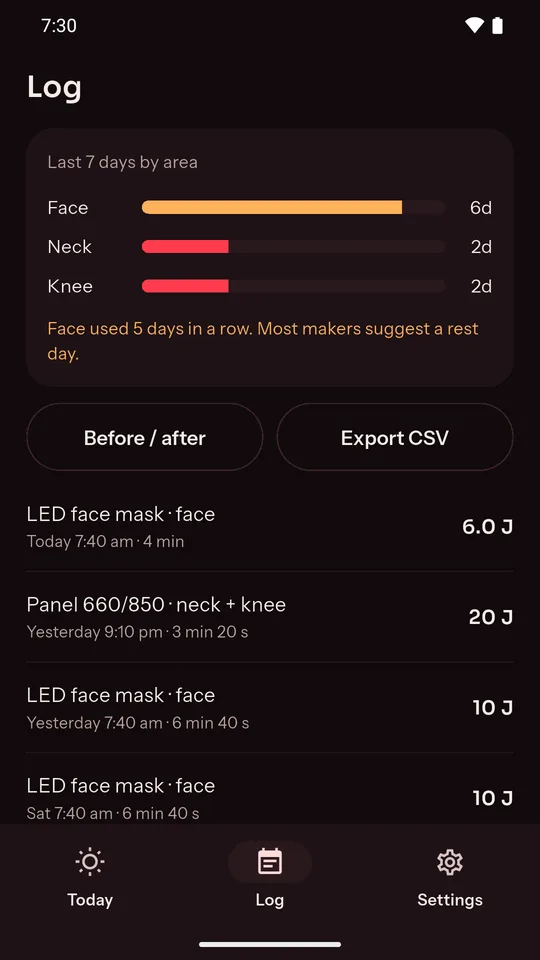
Every session is saved with the device, the areas and the dose. See days per area for the last week, your streak, and a daily reminder at the time you pick.
A nudge when one area has gone 4 days in a row without a rest day.
The dotted ring fills as today's dose builds up. Save a profile for each light you own, from a face mask to a panel for your back or knees.
Two device profiles free; a short video adds another.
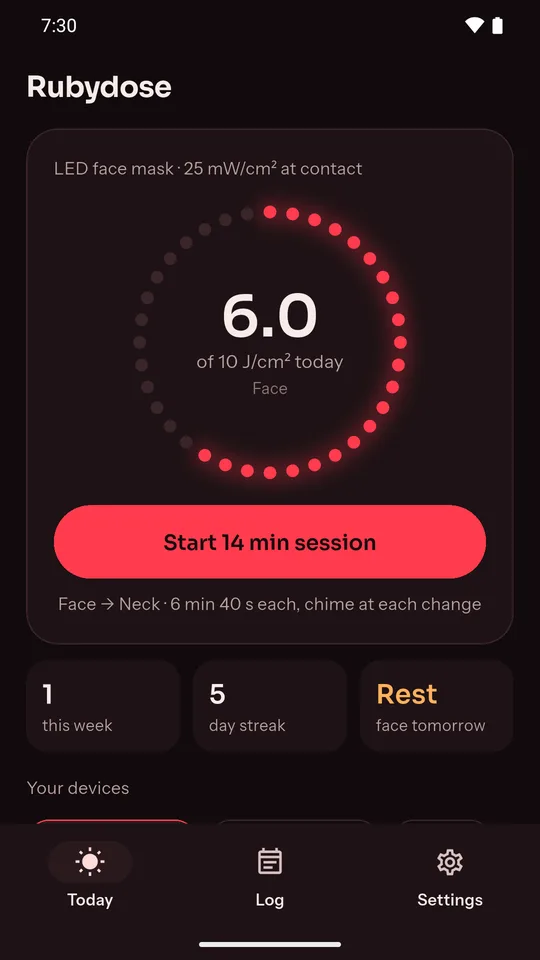
The dose ring, the calculator, a session with an area change and dim mode, and the log, on the app's real screens.
No. A phone screen is not a therapy light, and Rubydose never pretends it is. It times and logs the device you own.
The irradiance (mW/cm², sometimes called power density) and the distance it was measured at, both from your device's manual or spec sheet. Use the dose your maker recommends as the target.
No. Rubydose is a timer and log, not a medical device, and it does not treat or diagnose anything. Follow your device maker's instructions and ask a doctor about health questions.
Sessions, devices and progress photos stay on your phone. There is no account and no analytics. The only data that leaves the phone is what the ad network needs to show ads. Details in the privacy policy.
Yes to both. Rubydose is free and supported by ads, which never interrupt a running session. The timer, log and reminders work without a connection.